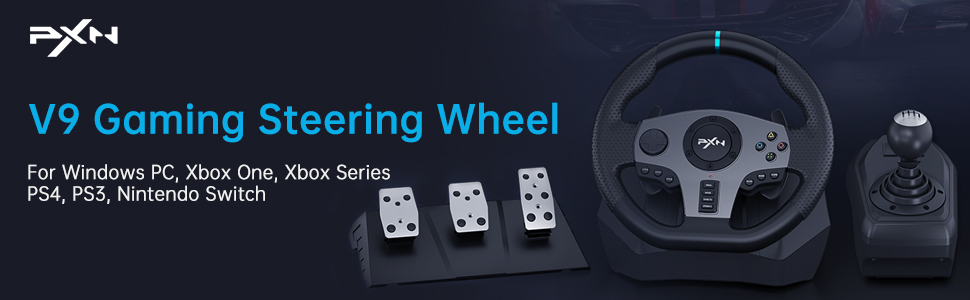
PXN V9 Gaming Racing Wheel with Pedals and Shifter for PC, Xbox One, Xbox Series X/S, PS4, PS3 and Switch
PXN V9 Gaming Racing Wheel with Pedals and Shifter for PC, Xbox One, Xbox Series X/S, PS4, PS3 and Switch
-
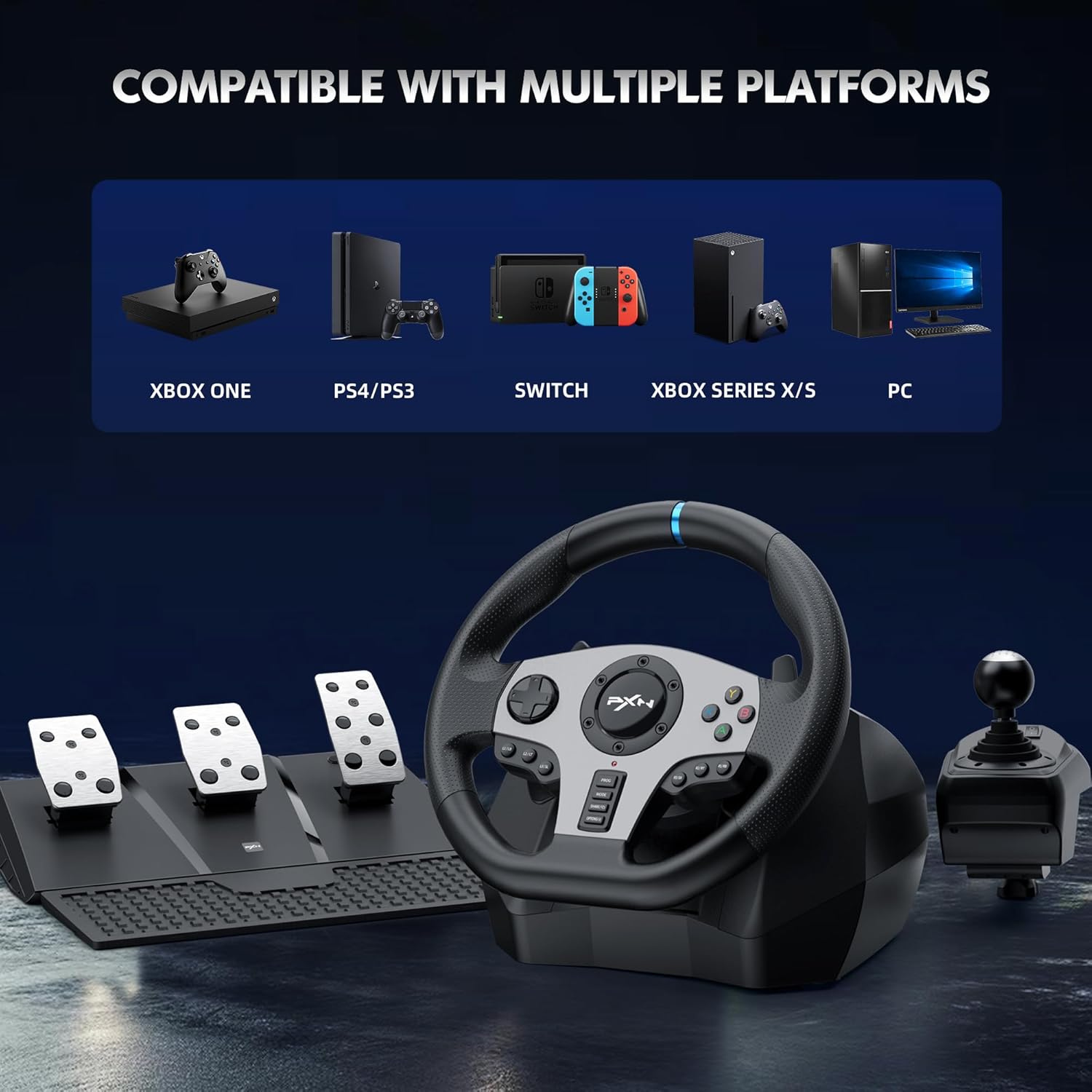
Multi-Platform Gaming Steering Wheel: Compatible with Windows 7/8/10, Xbox One, Xbox One S&X, Xbox Series X&S, PlayStation 4, PlayStation 4 Slim, PlayStation 4 Pro, PlayStation 3, Nintendo Switch (Note: When connecting Xbox and PlayStation consoles, the original controller needs to be connected to the wheel’s boot connector)
-
Double Motor Vibration: The racing wheel has built-in dual motors, simulating real driving scenes through different levels of vibration (NOTE: NOT FORCE FEEDBACK)
-
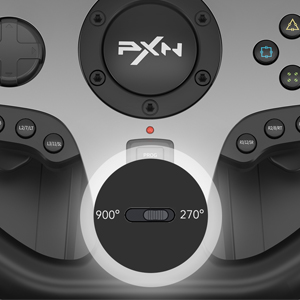
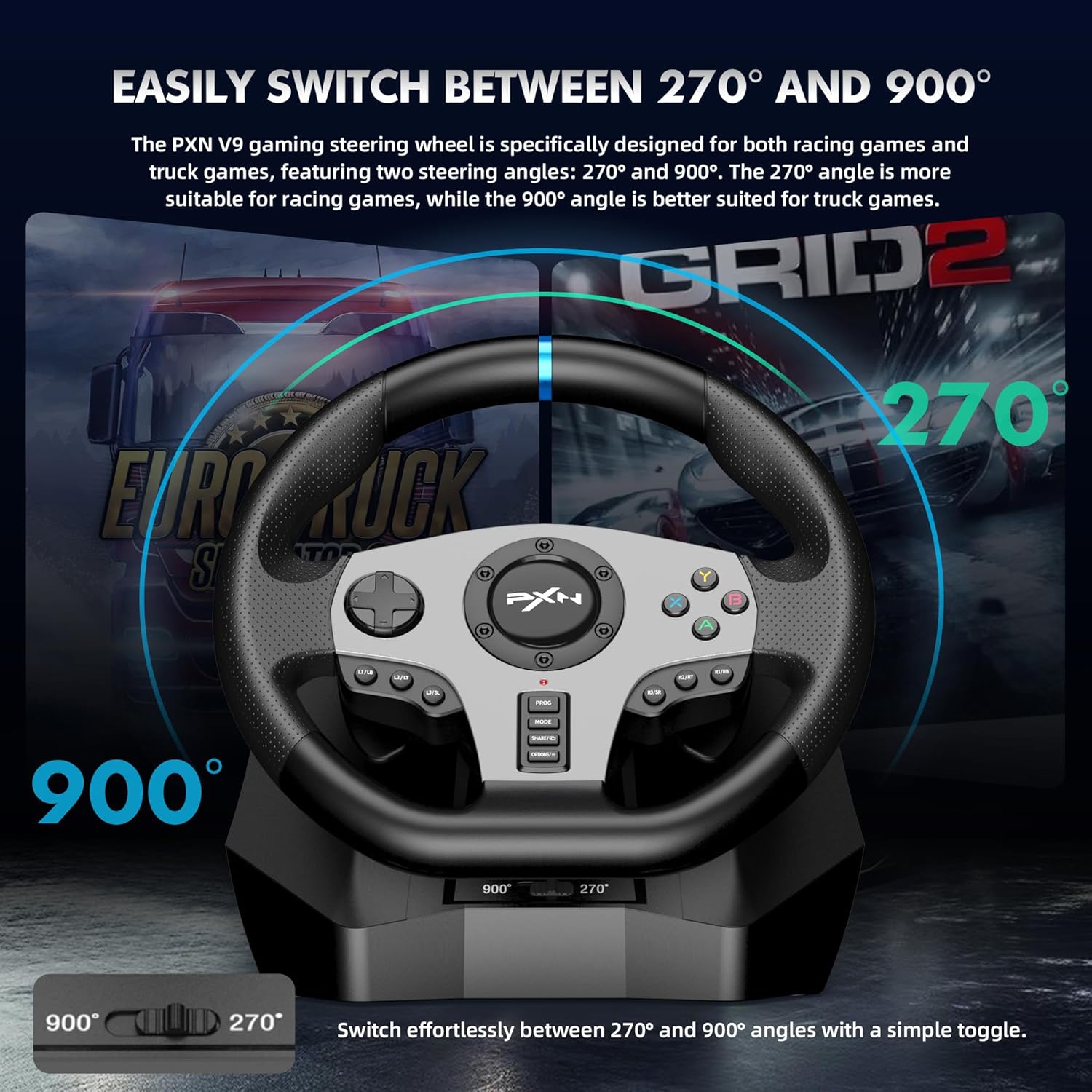
270/900 Degree Steering One-Touch Switch: A quick switch is designed under the dial surface, supporting switching back and forth between 270 degrees and 900 degrees, allowing the steering wheel to quickly adapt to racing and driving simulation games
-
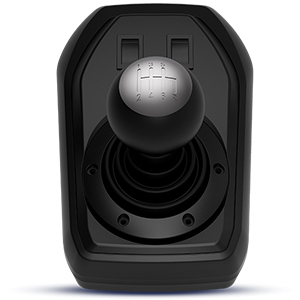
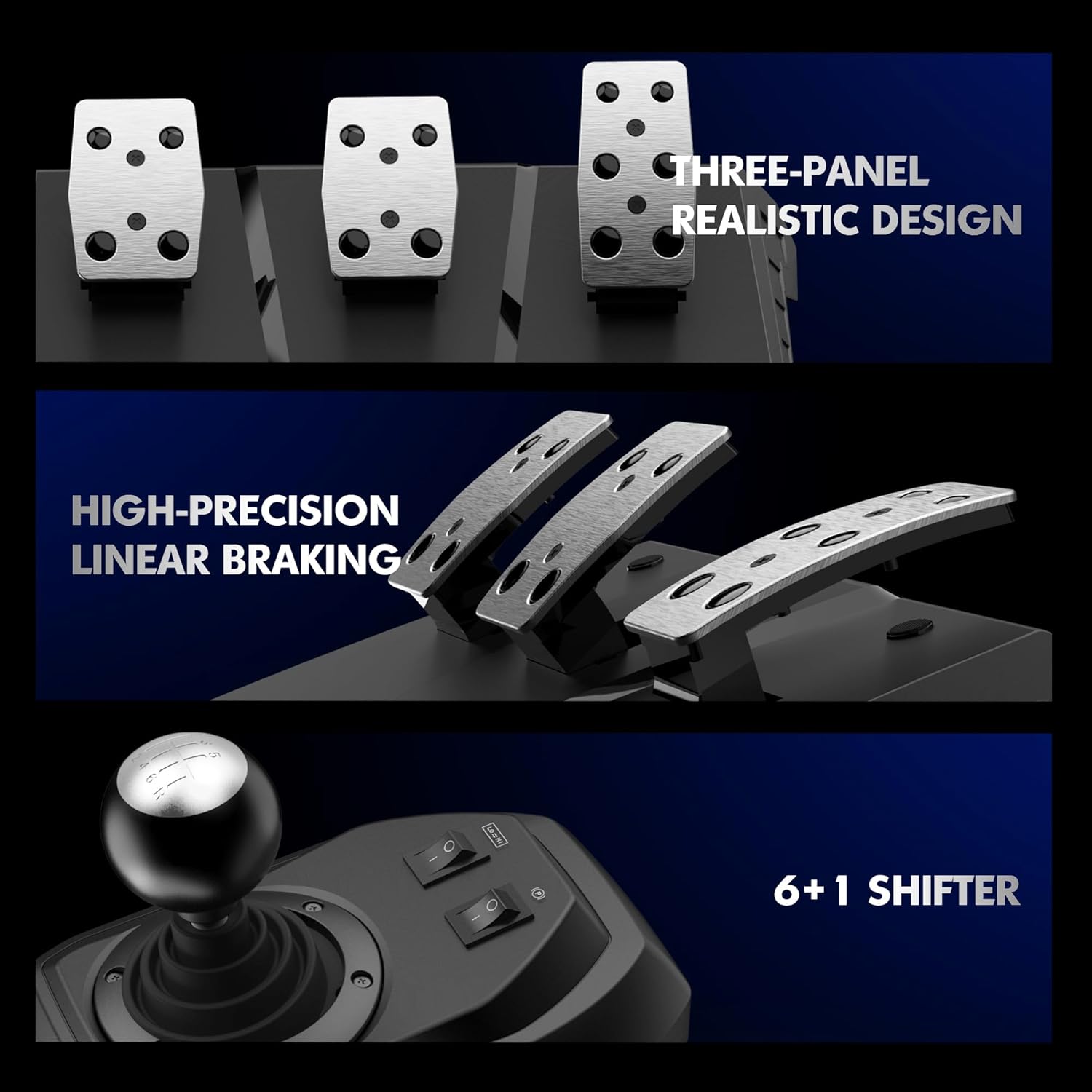
Simulate Steering Wheel with Pedals and Shifter: Responsive floor pedal, acceleration, braking and gear shift with the feel of an actual car. The six-speed manual shifter uses an “H” gearbox for quick and smooth shifting(Note: To use the shifter on PC, you need to press and hold the MODE button for 3 seconds to switch to “D-Input” mode, and then set the gear function in the game)
-
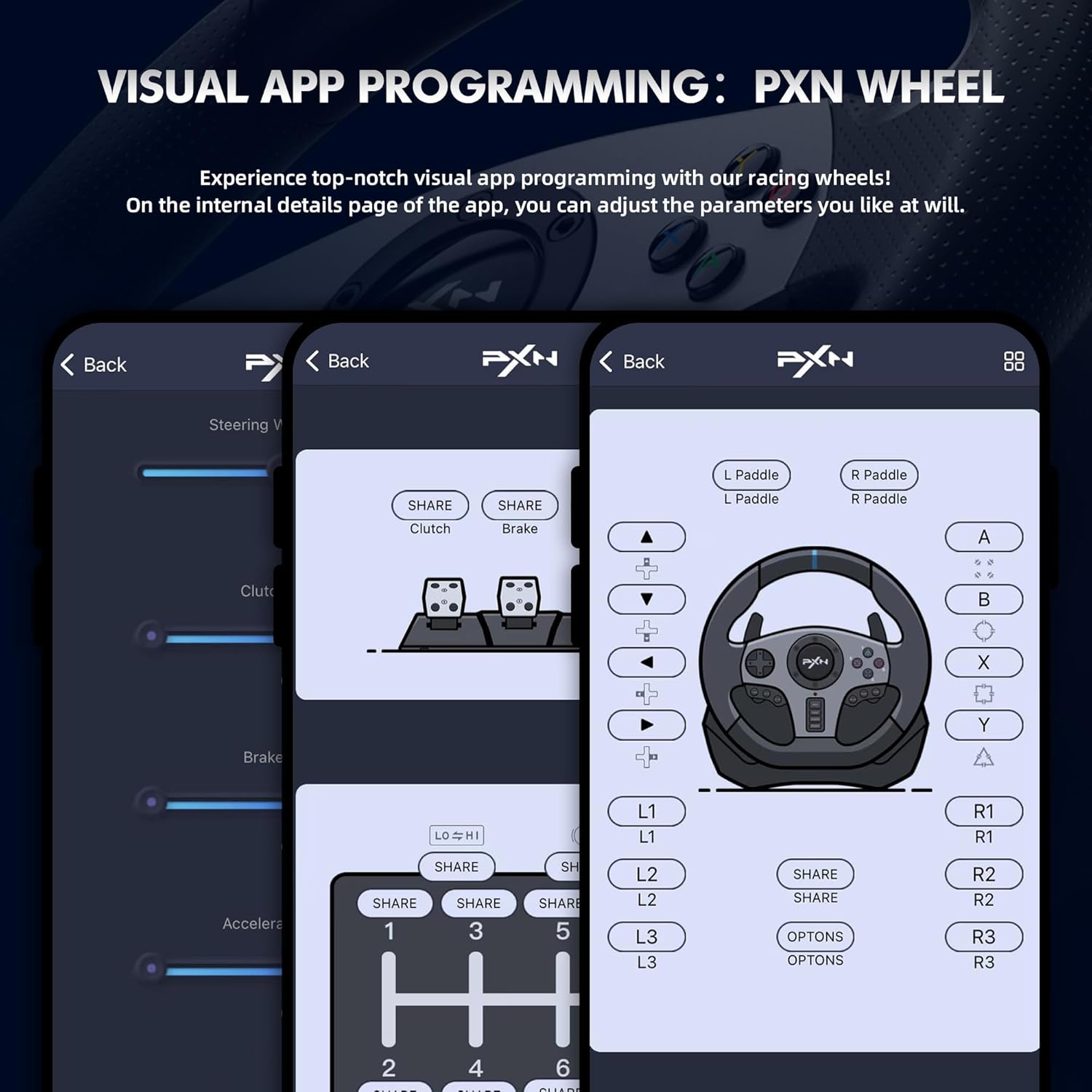
PXN Wheel App: To provide a better user experience, we strongly recommend you to download the exclusive application “PXN Wheel” for the racing steering wheel. You can view the instructions of the steering wheel, adjust the steering angle, sensitivity, vibration intensity and more
-
PS5 console is not supported at this time
-
Note: To use the shifter on PC, you need to press and hold the MODE button for 3 seconds to switch to “D-Input” mode, and then set the gear function in the game.
-
Not compatible with PS5 hosting. When connecting to Xbox One, Xbox Series and PS4 consoles for use, the official original controller is required. Please scroll down to see how to connect.
-
If you have any questions or issues, please submit a support request through the ways below: AMAZON Product page > Seller Profile > Ask a question
-
Due to the recent windows system update, some computers may not be recognized properly, please go to the official website to update the latest version of firmware.
|
|
|
|
|---|---|---|
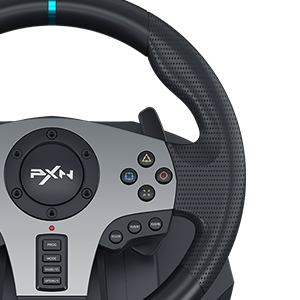
Comfortable GripUsing non-slip material, imitation leather texture, comfortable hold. |
One-touch Steering SwitchSwitch between 270 degrees and 900 degrees. |
Paddle ShiftersAvailable for sequential shifting function. |

|
|
|
|
|---|---|---|
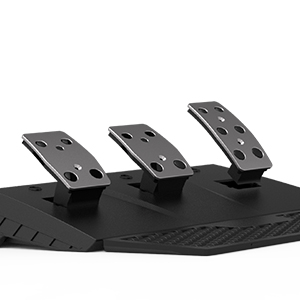
Linear PedalsPedals include accelerator, brake, and clutch. |
Six-Speed Manual ShifterIncludes handbrake switch, high and low gear switching switch (reverse requires pressing the shifter vertically and hanging in 6th gear position). |
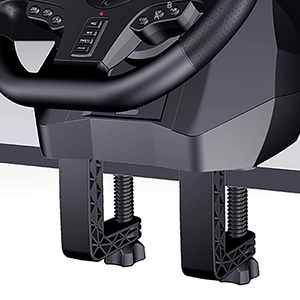
Stable and SolidIncludes two strong and durable clips and five fixed suction cups. |
Platform |
Xbox One, Xbox Series X/S, PlayStation 4, PlayStation 3, Nintendo Switch, Windows 7/8/10 |
Companion App |
PXN Wheel |
Cable length |
USB Cable (steering wheel): 6.9 feet / Modular Plug (foot pedal and shift lever): 4.9 feet |
Includes |
Racing Steering Wheel x1, Foot Pedals x1, Gear Shift x1, Clamp x2, Screws x2, Data Cable x1 |
How to Connect Xbox, PS(PlayStation) Game Console
|
|
|
|
|---|---|---|
Step 1: Power Off the ControllerLong press the HOME button of the official original controller until the indicator light turns off, that is, the power is off.Requires the use of Microsoft and Sony’s official original controller, third-party controllers can not be used. |
Step 2: Connection Steps
|
Step 3: Test and UsePress the MODE button on the steering wheel to activate the controls.Please use the D-Pad on the steering wheel to test if the button functions properly. |



$128.83
PXN V9 Gaming Racing Wheel with Pedals and Shifter for PC, Xbox One, Xbox Series X/S, PS4, PS3 and Switch—
$128.83
Product Information
Product Information
Shipping & Returns
Shipping & Returns
Description
PXN V9 Gaming Racing Wheel with Pedals and Shifter for PC, Xbox One, Xbox Series X/S, PS4, PS3 and Switch
-
Multi-Platform Gaming Steering Wheel: Compatible with Windows 7/8/10, Xbox One, Xbox One S&X, Xbox Series X&S, PlayStation 4, PlayStation 4 Slim, PlayStation 4 Pro, PlayStation 3, Nintendo Switch (Note: When connecting Xbox and PlayStation consoles, the original controller needs to be connected to the wheel’s boot connector)
-
Double Motor Vibration: The racing wheel has built-in dual motors, simulating real driving scenes through different levels of vibration (NOTE: NOT FORCE FEEDBACK)
-
270/900 Degree Steering One-Touch Switch: A quick switch is designed under the dial surface, supporting switching back and forth between 270 degrees and 900 degrees, allowing the steering wheel to quickly adapt to racing and driving simulation games
-
Simulate Steering Wheel with Pedals and Shifter: Responsive floor pedal, acceleration, braking and gear shift with the feel of an actual car. The six-speed manual shifter uses an “H” gearbox for quick and smooth shifting(Note: To use the shifter on PC, you need to press and hold the MODE button for 3 seconds to switch to “D-Input” mode, and then set the gear function in the game)
-
PXN Wheel App: To provide a better user experience, we strongly recommend you to download the exclusive application “PXN Wheel” for the racing steering wheel. You can view the instructions of the steering wheel, adjust the steering angle, sensitivity, vibration intensity and more
-
PS5 console is not supported at this time
-
Note: To use the shifter on PC, you need to press and hold the MODE button for 3 seconds to switch to “D-Input” mode, and then set the gear function in the game.
-
Not compatible with PS5 hosting. When connecting to Xbox One, Xbox Series and PS4 consoles for use, the official original controller is required. Please scroll down to see how to connect.
-
If you have any questions or issues, please submit a support request through the ways below: AMAZON Product page > Seller Profile > Ask a question
-
Due to the recent windows system update, some computers may not be recognized properly, please go to the official website to update the latest version of firmware.
|
|
|
|
|---|---|---|
Comfortable GripUsing non-slip material, imitation leather texture, comfortable hold. |
One-touch Steering SwitchSwitch between 270 degrees and 900 degrees. |
Paddle ShiftersAvailable for sequential shifting function. |
|
|
|
|
|---|---|---|
Linear PedalsPedals include accelerator, brake, and clutch. |
Six-Speed Manual ShifterIncludes handbrake switch, high and low gear switching switch (reverse requires pressing the shifter vertically and hanging in 6th gear position). |
Stable and SolidIncludes two strong and durable clips and five fixed suction cups. |
Platform |
Xbox One, Xbox Series X/S, PlayStation 4, PlayStation 3, Nintendo Switch, Windows 7/8/10 |
Companion App |
PXN Wheel |
Cable length |
USB Cable (steering wheel): 6.9 feet / Modular Plug (foot pedal and shift lever): 4.9 feet |
Includes |
Racing Steering Wheel x1, Foot Pedals x1, Gear Shift x1, Clamp x2, Screws x2, Data Cable x1 |
How to Connect Xbox, PS(PlayStation) Game Console
|
|
|
|
|---|---|---|
Step 1: Power Off the ControllerLong press the HOME button of the official original controller until the indicator light turns off, that is, the power is off.Requires the use of Microsoft and Sony’s official original controller, third-party controllers can not be used. |
Step 2: Connection Steps
|
Step 3: Test and UsePress the MODE button on the steering wheel to activate the controls.Please use the D-Pad on the steering wheel to test if the button functions properly. |